Guide
Social video sizes in one place: Instagram Reels, TikTok, YouTube Shorts and LinkedIn
By Lev PerlmanUpdated 5 min read
For Instagram Reels, TikTok and YouTube Shorts, export vertical 9:16, and keep it under three minutes so all three treat it as short-form. 1080 × 1920 pixels is the common choice. For LinkedIn, vertical, square and landscape all work, within an aspect ratio of 1:2.4 to 2.4:1.1 The details differ by platform, and some platforms publish fewer numbers than you might expect, so this guide gives each one's own figures and says where a figure does not exist.
All numbers were checked against the platforms' own help pages on 3 November 2026. Platforms change these often, so check the linked page before you rely on a number.
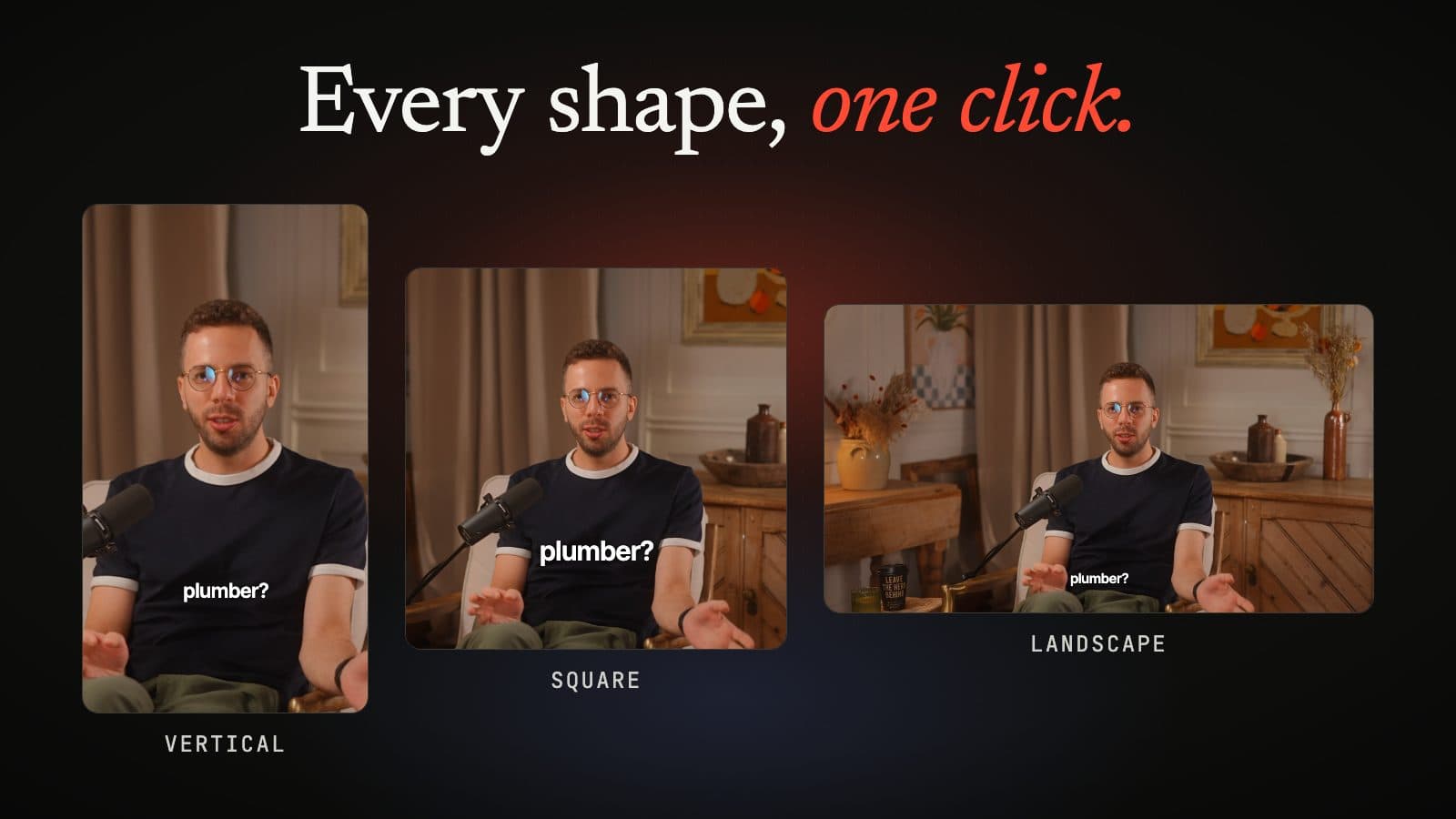
Vertical
1080 × 1920
Reels, TikTok, Shorts
Square
1080 × 1080
Feeds
Landscape
1920 × 1080
YouTube, LinkedIn, websites
Social video sizes at a glance
| Platform | Shape | Size the platform publishes | Length |
|---|---|---|---|
| Instagram Reels | 1.91:1 to 9:16 | At least 720 pixels, 30 fps or more2 | Up to 20 minutes; over 3 minutes is not recommended to new audiences3 |
| TikTok | Vertical 9:16 recommended (ads)4 | No pixel size on the creator help page. At least 540 × 960 for In-Feed ads4 | Up to 10 minutes recorded in the app, 60 minutes uploaded5 |
| YouTube Shorts | Square or vertical6 | No video pixel size on the Shorts pages | Up to 3 minutes6 |
| LinkedIn (member posts) | 1:2.4 to 2.4:11 | 256 × 144 to 4096 × 23041 | 3 seconds (2 in the app) to 15 minutes1 |
Instagram Reel size
- Aspect ratio: anywhere between 1.91:1 (landscape) and 9:16 (vertical).2
- Minimum quality: a resolution of at least 720 pixels and at least 30 frames per second.2
- Length: you can make Reels up to 20 minutes long, but Instagram says Reels over 3 minutes will not be recommended to new audiences.3
- Cover photo: 420 × 654 pixels recommended, and it cannot currently be edited after you upload.2
- Upload quality: you can turn on Upload at highest quality in the app's media quality settings. Uploads may take longer.2
Instagram's help page does not give one recommended pixel size for organic Reels. Meta's ads guide does, for Reels ads: 9:16 at 1440 × 2560 pixels, MP4 or MOV, up to 4 GB.7 It also suggests keeping about 14% at the top, 35% at the bottom and 6% on each side free of text and logos, so the interface does not cover them.7 That safe area is written for ads, but the same buttons sit over organic Reels, so it is a useful guide for captions too.
TikTok video size
TikTok's help page for creators gives lengths, not pixels:5
- Recorded in the TikTok app: up to 10 minutes.
- Uploaded: up to 60 minutes.
- If you choose a sound first, the sound's length sets the video's length.
We could not find a pixel size or file size for organic posts on TikTok's own help pages, so we have not given one. TikTok's ads help does publish specifications for In-Feed ads:4
- Shape: vertical 9:16 recommended; 16:9 and 1:1 also accepted.
- Minimum size: 540 × 960 (vertical), 960 × 540 (landscape), 640 × 640 (square).
- File: up to 500 MB, as .mp4, .mov, .mpeg, .3gp or .avi.
- Length: up to 10 minutes for these ads.
TikTok's Creator Academy says you can post vertical video, or horizontal video in full-screen mode, and asks you to keep the subject centred and clear of the on-screen buttons.8
YouTube Shorts size
- What makes a Short: a square or vertical video up to three minutes long, for uploads on or after 15 October 2024.6
- Keeping a video out of Shorts: use a wider aspect ratio such as 16:9.6
- Uploading from a computer: up to 15 Shorts at a time.9
- Thumbnail: 2160 × 3840 pixels (9:16) recommended, at least 640 pixels high.10
YouTube's Shorts help pages do not give a pixel size for the video itself. YouTube's recommended upload encoding settings, for any video, are an MP4 file with H.264 video and AAC-LC (or Opus) audio at 48 kHz, uploaded at the frame rate you recorded at.11 For long-form, YouTube says the standard aspect ratio on a computer is 16:9, and that the player adapts to other shapes such as vertical or square.11
LinkedIn video size
For video shared in a member post, LinkedIn lists:1
- File size: 75 KB to 5 GB.
- Length: 3 seconds (2 seconds in the mobile app) to 15 minutes.
- Aspect ratio: 1:2.4 to 2.4:1, so vertical, square and landscape all fit.
- Resolution: 256 × 144 to 4096 × 2304.
- Frame rate: 10 to 60 fps.
- Bit rate: 192 kbps to 30 Mbps.
LinkedIn's page says it was last updated two years ago. It does not list file formats.
Which size to export for a podcast clip
- One file for every app: vertical 9:16 at 1080 × 1920. It fits Reels, TikTok and Shorts, and sits inside LinkedIn's range.
- A square version is worth adding for feeds where vertical video gets cropped.
- A 16:9 version for YouTube long-form, your website and anywhere people watch on a laptop.
- Keep it short. Under three minutes keeps a clip in short-form everywhere. Most podcast moments work far shorter.
- Leave room for the interface. Keep faces and captions away from the bottom and right-hand edges. Our captions guide shows the safe area.
For the reasoning behind shape and length choices, see the best aspect ratio and length for podcast clips.
Every size from one episode with podswitch
On paid plans, podswitch picks the moments most likely to work as short clips and builds each one in 9:16 for Reels, TikTok and Shorts, 1:1 for feeds and 16:9 for YouTube and the web. The crop can be placed on the speaker's face automatically, in your browser, and the camera follows whoever is talking.
Each clip opens as a project in Final Cut Pro, Premiere Pro or DaVinci Resolve, or you can render it to an MP4 with the captions burned in, in your browser (in beta). See social clips for the details.
Sources
-
LinkedIn Help, "Share videos on LinkedIn". https://www.linkedin.com/help/linkedin/answer/a7174587 ↩ ↩2 ↩3 ↩4 ↩5
-
Instagram Help Centre, "Reel size and aspect ratios on Instagram". https://help.instagram.com/1038071743007909 ↩ ↩2 ↩3 ↩4 ↩5
-
Instagram Help Centre, "Record a reel on Instagram". https://help.instagram.com/2720958398006062/ ↩ ↩2
-
TikTok Business Help Centre, "TikTok Auction In-Feed Ads". https://ads.tiktok.com/help/article/tiktok-auction-in-feed-ads ↩ ↩2 ↩3
-
TikTok Help Centre, "Camera tools", section "Video length". https://www.tiktok.com/support/faq_detail?id=7581821547946580492 ↩ ↩2
-
YouTube Help, "Understand three-minute YouTube Shorts". https://support.google.com/youtube/answer/15424877?hl=en-GB ↩ ↩2 ↩3 ↩4
-
Meta Ads Guide, "Awareness Video ad specs on Instagram Reels". https://www.facebook.com/business/ads-guide/update/video/instagram-reels ↩ ↩2
-
TikTok Creator Academy, "Elements of a TikTok video", last updated 18 August 2026. https://www.tiktok.com/creator-academy/en/article/elements-of-tiktok-video ↩
-
YouTube Help, "Upload YouTube Shorts". https://support.google.com/youtube/answer/12779649?hl=en-GB ↩
-
YouTube Help, "Add customised thumbnails on YouTube". https://support.google.com/youtube/answer/72431?hl=en-GB ↩
-
YouTube Help, "YouTube recommended upload encoding settings". https://support.google.com/youtube/answer/1722171?hl=en-GB ↩ ↩2
Common questions
What size is an Instagram Reel?
Instagram says a Reel can have an aspect ratio between 1.91:1 and 9:16, with a minimum resolution of 720 pixels and a minimum of 30 frames per second. Its help page gives no single pixel size. For Reels ads, Meta's ads guide recommends 9:16 at 1440 × 2560 pixels.
What size is a TikTok video?
TikTok's help page for creators gives lengths (up to 10 minutes recorded in the app, up to 60 minutes uploaded) but no pixel size. TikTok's ads help recommends vertical 9:16, with a minimum of 540 × 960 pixels and files up to 500 MB, for In-Feed ads.
What size is a YouTube Short?
YouTube treats a video as a Short when it is square or vertical and up to three minutes long. Its Shorts help pages do not give a pixel size for the video. They do recommend 2160 × 3840 pixels for a Shorts thumbnail.
What are LinkedIn's video limits?
For member posts, LinkedIn lists files from 75 KB to 5 GB, up to 15 minutes, an aspect ratio between 1:2.4 and 2.4:1, and a resolution from 256 × 144 to 4096 × 2304.
If I only export one size, which should it be?
Vertical 9:16, usually at 1080 × 1920. It fits Reels, TikTok and Shorts, and LinkedIn accepts it too. 1080 × 1920 is a common choice, not a number any of these platforms requires.