Guide
YouTube thumbnail size, and how to pick a thumbnail that gets clicked
By Lev PerlmanUpdated 6 min read
A YouTube thumbnail should be 3840 × 2160 pixels in 16:9, at least 640 pixels wide, saved as an image such as JPG or PNG, and no bigger than 50 MB from a computer or 2 MB from a phone. A Shorts thumbnail is the same idea turned upright: 2160 × 3840 in 9:16.1 To pick a thumbnail people click, start from a real frame of the moment, show a face with a clear expression, use a few large words with strong contrast, and check it at the size it appears on a phone. Then test it. Nothing guarantees views, but a clear, honest thumbnail gives a good video its best chance.
YouTube thumbnail size: the official specification
These numbers come from YouTube Help, checked on 3 November 2026.1
| Videos | Shorts | |
|---|---|---|
| Recommended size | 3840 × 2160 pixels | 2160 × 3840 pixels |
| Aspect ratio | 16:9 | 9:16 |
| Minimum | 640 pixels wide | 640 pixels high |
| File type | An image format such as JPG or PNG | The same |
| Largest file | 50 MB from a computer, 2 MB from a phone | 50 MB from a computer |
A few rules that catch people out:1
- Your account must be verified to upload a custom thumbnail.
- Custom Shorts thumbnails can currently only be added in YouTube Studio on a computer.1 In the YouTube app you can choose a frame from the Short instead.2
- Vertical videos with a 16:9 thumbnail get an automatically made 4:5 thumbnail on the Home, Explore and Subscriptions pages. Your own design still shows in places such as the watch feed and watch history.
- There is a daily limit on custom thumbnail uploads. If you hit it, YouTube says to try again in 24 hours.
Thumbnail sizes for other places
Your episode needs pictures beyond YouTube. These are the sizes the platforms publish themselves:
- Podcast cover (Apple Podcasts): a square Show Cover of 3000 × 3000 pixels, PNG or JPG, with no transparency. Through an RSS feed Apple accepts 1400 × 1400 up to 3000 × 3000 and prefers the largest.3
- LinkedIn link preview: at least 1200 × 627 pixels, in a 1.91:1 ratio. LinkedIn's page says it was last updated three years ago, so check it before you rely on it.4
- Instagram Reels cover: 420 × 654 pixels recommended (1:1.55). Instagram says you cannot currently edit the cover after uploading, so get it right first time.5
Our social video sizes guide covers the video side for Reels, TikTok, Shorts and LinkedIn.
Is there such a thing as a viral thumbnail?
Not in the sense of a design that guarantees views. How far a video travels depends on who it is shown to and whether they keep watching. Two things from YouTube itself are worth knowing:
- Clicks alone do not win. When YouTube tests thumbnails against each other, it picks the winner by watch time, and says it optimises for watch time over click-through rate.6
- Misleading thumbnails break the rules. YouTube's thumbnail policy lists "a thumbnail that misleads viewers" among the things it does not allow. A thumbnail can be removed, and a strike is possible.7
So aim for the thumbnail that makes the right viewers want the video you actually made.
How to make a good thumbnail
YouTube's own tips, and the habits that work for podcast episodes:
- Start from a real frame of the moment. YouTube suggests taking photos while you film, so you have options when you upload.8 For a podcast, scrub to the moment your title is about and grab a frame where the speaker's face is open and expressive, not mid-blink.
- Show a face with a clear expression. YouTube suggests familiar people for subscribers and relatable emotions, such as a shocked expression, for casual viewers.8
- Use few words, in a font that is easy to read. YouTube's advice: "Try not to make the design too complex."8 Three to five words is plenty. Let the title carry the rest, and do not repeat it word for word.
- Make the text contrast with what is behind it. Apple gives the same advice for podcast covers: keep the text readable against the background, and limit extra text and logos.3
- Check it at phone size. Thumbnails appear at different sizes on different devices, so YouTube suggests making the image as large as possible.8 Shrink your design to the width of your thumb. If you cannot read it, nobody scrolling can.
- Compose with the rule of thirds. YouTube suggests it for more interesting images, with branding and descriptive text added after.8 Put the face on one third and the words on the other.
YouTube also says 90% of the best-performing videos have custom thumbnails, so it is worth making one for every upload.8
Podcast thumbnail ideas
If you are stuck, try one of these layouts for your next episode:
- The guest close-up: one face, big, with three or four words from the most surprising thing they said.
- The two-shot: host and guest side by side, for conversations where the back-and-forth is the draw.
- The quote card: a round photo of the speaker next to a short line from the episode. Only use words they actually said.
- The headline over a frame: a bold question across the bottom third of a wide shot.
- A series look: the same font, colours and logo position on every episode, so regular viewers spot you in their feed.
Test it, then keep what works
YouTube Studio has an A/B test for titles and thumbnails:6
- Up to three options, as titles, thumbnails or both.
- Judged on watch time. The option with the highest watch time is then shown to everyone.
- Computer only, in YouTube Studio, with advanced features turned on.
- Not for Shorts, Made for Kids videos, mature audience videos or private videos.
- Up to two weeks to finish. Changing the title or thumbnail during a test stops it.
After publishing, YouTube suggests checking click-through rate on Home and Suggested in the first 24 hours for general audiences, and in the Subscriptions feed for subscribers.8 Compare thumbnails across episodes, and keep the layouts that keep winning.
Thumbnails from your own footage with podswitch
On the MAX plan, podswitch designs thumbnails for the episode and every clip from your own camera frames. You pick the person and the moment, and your browser takes the frame from your camera files, so nothing is uploaded to make these designs.
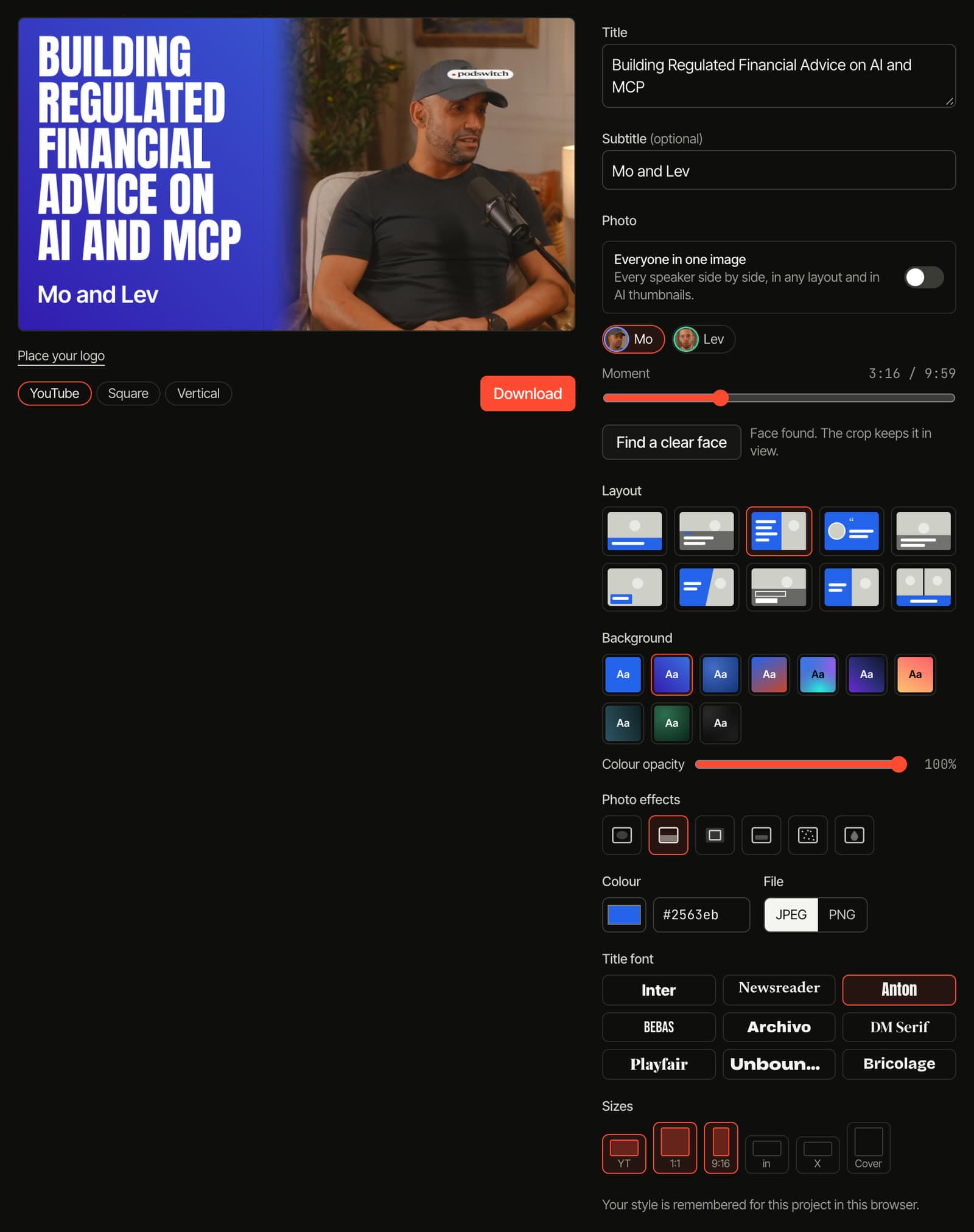
- 10 layouts, solid colours and gradients, photo effects and 9 title fonts.
- Everyone in one image if you like, side by side.
- Your logo, placed once for each shape.
- Every social size: YouTube (3840 × 2160), square (1080 × 1080), vertical cover (1080 × 1920), LinkedIn link (1200 × 627), X card (1200 × 600) and, for the episode, a 3000 × 3000 podcast cover.
- AI thumbnails: describe the design in your own words, and AI makes it from the frames you choose. For these, the frames and your words are sent to our image provider.
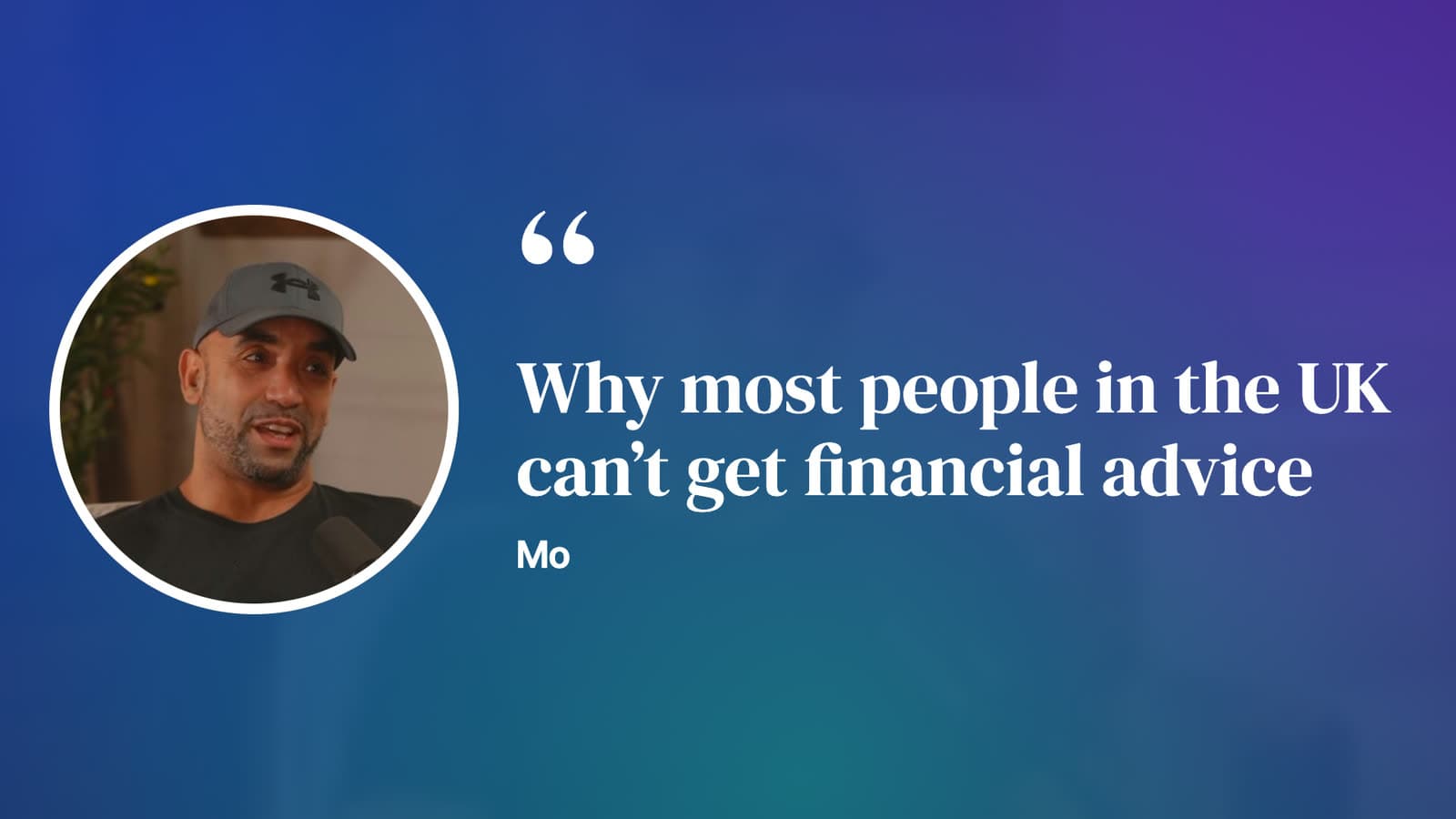
See every layout on the Social Studio page.
Sources
-
YouTube Help, "Add customised thumbnails on YouTube". https://support.google.com/youtube/answer/72431?hl=en-GB ↩ ↩2 ↩3 ↩4
-
YouTube Help, "Create YouTube Shorts" (Android), section on thumbnails. https://support.google.com/youtube/answer/10343433?hl=en-GB ↩
-
Apple Podcasts for Creators, "Show Cover". https://podcasters.apple.com/support/5514-show-cover-template ↩ ↩2
-
LinkedIn Help, "Make your website shareable on LinkedIn". https://www.linkedin.com/help/linkedin/answer/a521928 ↩
-
Instagram Help Centre, "Reel size and aspect ratios on Instagram". https://help.instagram.com/1038071743007909 ↩
-
YouTube Help, "A/B test titles and thumbnails". https://support.google.com/youtube/answer/16391400?hl=en-GB ↩ ↩2
-
YouTube Help, "Thumbnails policy". https://support.google.com/youtube/answer/9229980?hl=en-GB ↩
-
YouTube Help, "Thumbnail & title tips". https://support.google.com/youtube/answer/12340300?hl=en-GB ↩ ↩2 ↩3 ↩4 ↩5 ↩6 ↩7
Common questions
What size is a YouTube thumbnail?
YouTube Help recommends 3840 × 2160 pixels in 16:9, with a minimum width of 640 pixels. Use an image format such as JPG or PNG. The file limit is 50 MB when you upload from a computer and 2 MB from a phone. Your account must be verified to upload a custom thumbnail.
What size is a YouTube Shorts thumbnail?
YouTube Help recommends 2160 × 3840 pixels in 9:16, with a minimum height of 640 pixels. It says custom Shorts thumbnails can currently only be added in YouTube Studio on a computer. In the YouTube app you can still pick a frame from the Short as its thumbnail.
Can a thumbnail make a video go viral?
No thumbnail can guarantee views. A good thumbnail gives the right people a reason to click, and the video then has to keep them watching. YouTube judges its own thumbnail tests on watch time, and its policy does not allow thumbnails that mislead viewers about what is in the video.
How do I test which thumbnail works best?
In YouTube Studio on a computer, use the A/B test for titles and thumbnails. You can test up to three options, and YouTube shows everyone the one with the highest watch time. You need advanced features turned on, and Shorts cannot be tested.
What size should a podcast cover be?
Apple Podcasts asks for a square Show Cover of 3000 × 3000 pixels, as PNG or JPG, with no transparency. If you publish through an RSS feed, Apple accepts 1400 × 1400 up to 3000 × 3000 pixels and prefers the largest size.